Today we will be solving Micro-CMS v1, there are total of 4 flags to be found. The objective of it is to tamper with every input available to the user.
Note: I wouldn’t be showing any flag in this post, the post is show the steps to get it.
The knowledge needed:
- Cross-Site Scripting
- Brute Force Directory
Flag 0
The given hint is “Try creating a new page”
My thought was to just create a new website, and just look through the newly created web page. Looking at the newly created page number is 9.

I was thinking if the home page had only 2 page created where the numbering is 1 and 2 respectively. Why is the page numbering 9? So, I just do brute force directory by inputting number from 1 to 9. As I try out every number in the URL, I reached to a ‘Forbidden’ page.
By identifying that accessing ‘page/6’ is forbidden, I asked myself is there a way to bypass the access controlled page. I find that newly created page can be edited and republished. So I went to my newly created page and click on edit.
Go to the URL and changed the number from 9 to 6. The page will load and you will be able to get your first flag.
Flag 1
The given hint is “Make sure you tamper with every input”
How was I able to find this flag? It was when I tried to put apostrophe in the URL to test for SQL injection vulnerability and somehow by adding a quote in the URL, it load the page where the flag is. 
Flag 2
The given hint is “Sometimes a given input will affect more than one page”.
Basically, I was trying to do flag 1 but i chance upon it so here is the process of how I get flag 2.
What I did was to tamper with every input by inserting simple XSS to identify whether such vulnerabilities exists in this CTF that will trigger the flag.
In the edit page, where user can edit and republished the page. I inserted a simple XSS into both input for ‘title’ and ‘description’.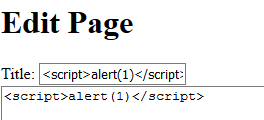
Hit the save button. 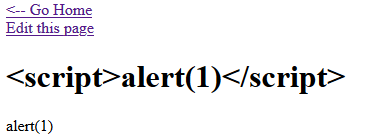
However the XSS did not worked, but the flag pop which is actually by chance where I click the ‘Go Home’ button where it pop-up.
Then, I finally understand why it trigger in this manner was because the vulnerabilities that I have identified was a stored XSS vulnerability. Though the newly created page does not execute the script, the script is stored in the web application. From the previous image, you can see that the title input does not remove the script tag. Which can be a vulnerability in the web application.
So how does it trigger the flag? It happened when I click onto the ‘Go Home’ link where it would load the main page and list down the page title. Since the newly created page title is “<script>alert(1)</script>”, the tags are not removed, the web application will take it as a script and execute it.
Knowing that it is a stored XSS vulnerabilities, the web application will execute every script stored in the web application before executing my script thus, triggering the flag 1 to pop-up and after that click the okay button, and it will trigger my script. 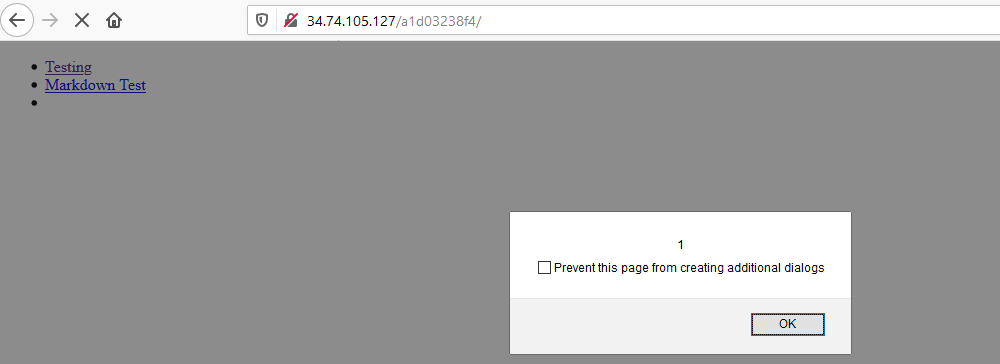
Flag 3
The given hint is “Script tags are great, but what other options do you have?”
To approach this flag, I was thinking what other ways can I trigger an alert without using script tags and there are ways to do it. For my own preference, I would used img tag to trigger an alert.
In the edit page, I input <img> in the description box to trigger an alert upon clicking it.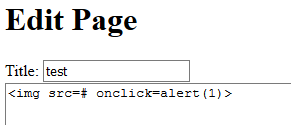
The saved page is…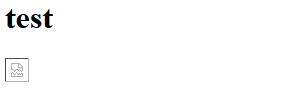
On click……it will trigger an alert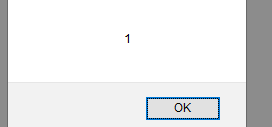
However, I wonder why is there no flag appeared after I do so. Then I remembered that I should view the source code of the page {if you have had not read my first post on why it is a good practice to view the source code, here is the link}. I right click and view source code, I discovered that there is a flag value in my img tag with the word ‘flag’ as its element. Hence, finding the flag 3.
Author: Derek

 Bs&Derek
Like!! Really appreciate you sharing this blog post.Really thank you! Keep writing.
LikeLike