Hi guys, today we will install more tools that are used for testing mobile application.
Credit to tsug0d for this lesson on Mobile Application Pentesting, I have learned quite a bit of Mobile hacking from his slides, will link it in the reference below.
Installation part: Tools used is mainly for Linux distribution.
- apktool
- dex2jar
- jd-gui
- BurpSuite
APK we using is InsecureBankv2.apk, is used for practicing mobile application hacking. The installation of apktool was written in my previous post. Check it out here.
First and foremost, for static analyze I would recommend to used apktool, dex2jar ad jd-gui. Why? It is because the tools will be able to decompile/deconstruct the .APK files for you into readable text file and Java source code, which allows you to be able to analyze the codes & other text files of the .APK files.
Using apktool helps to decompile the .APK file and extract out files into human-readable text such files like AndroidManifest.xml and decode the resources of .APK files to its original form.
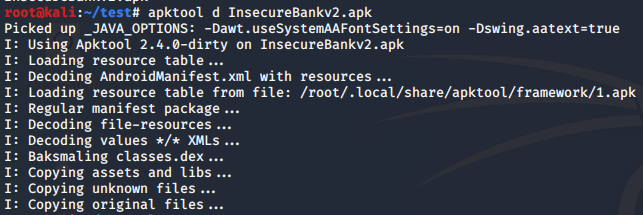
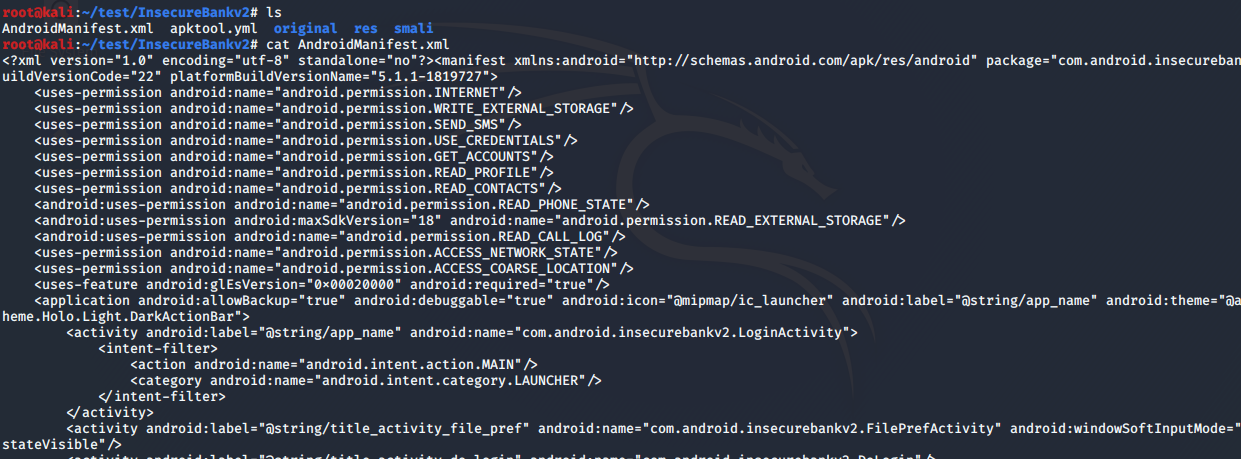
However, apktool will not be able to give tester the original Java source code, thus, there is a need to use tools like dex2jar and jd-gui to deconstruct the .APK file to see the Java source code.
Things to note is that .APK file is an archive file, meaning the file type is also a .ZIP file. You can used the ‘file InsecureBankv2.apk’ to determine the file type of the .APK file.
So, changing the file extension from .APK to .ZIP, followed by unzipping the archive file, you will be able to see the content of InsecureBankv2.


The main reason to do such action, is to get the file ‘classes.dex’ because it contains the compiled code, thus, by using dex2jar tool we will be able to convert the .DEX file into .JAR file.
For installation of dex2jar,
$ sudo apt-get install dex2jarThe used of dex2jar,
$ sudo d2j-dexjar -d classes.dex
Now, it is time to use jd-gui tool which is a GUI that displays Java source codes. It can browse for .JAR file and display the .Class files to the user, where the Java source code is contained.
Installation of jd-gui,
$ sudo apt-get install jd-guiOpen the jd-gui application, go to File -> Open File -> navigate to the folder where it stores the .Jar file.
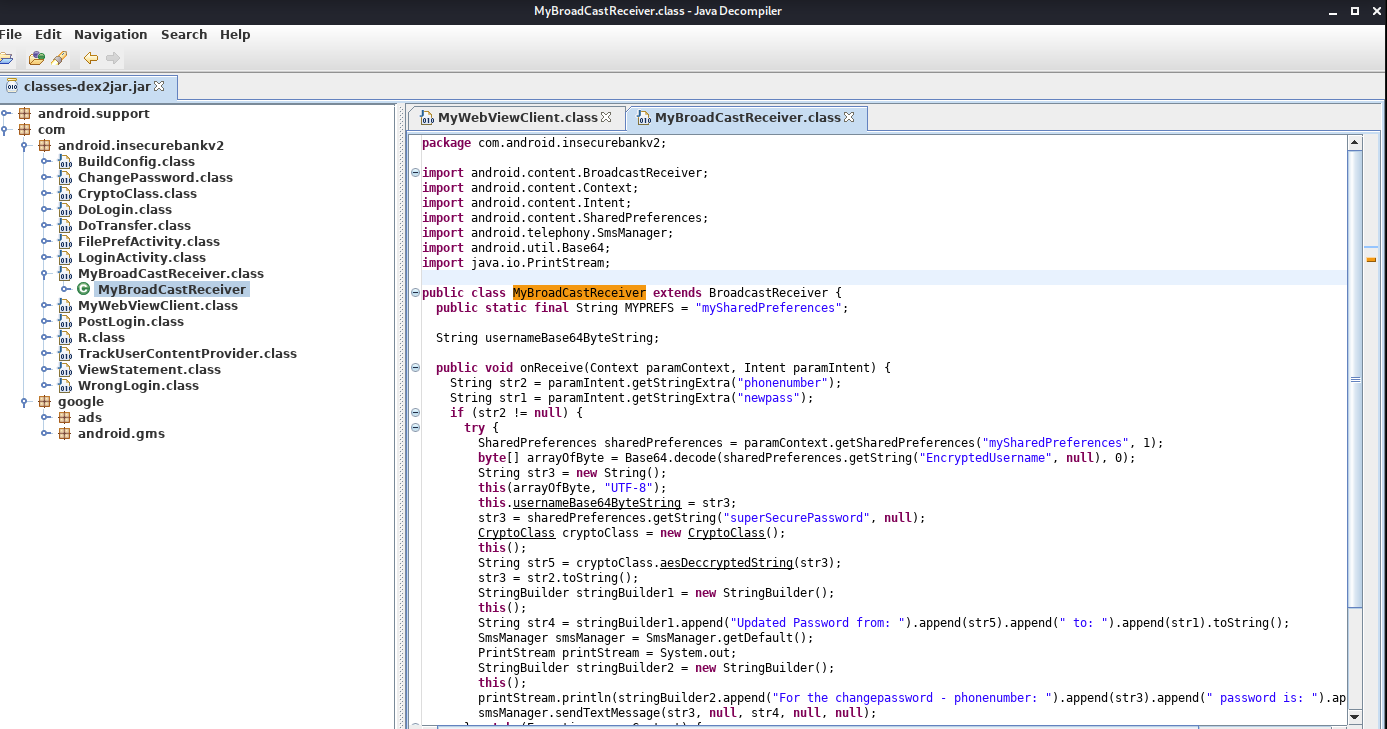
In conclusion, the reason of using these 3 tools as each has its own functionality that helps analysts to decompile and reconstruct different components of the .APK file. The tool apktool helps to decompile an .APK file, converting AndroidManifest.xml into human-readable text, decode the resources into its original form.
Using dex2jar and jd-gui tool goes hand-in-hand as one is converting the .DEX file into .JAR file where it contains the compile code and the other is used to reconstruct the .JAR file, to be able to see the .CLASS file.
By doing static analyses, analysts will be able t find vulnerable code block in the .APK files and be able to understand how the application is coded in this format etc.
That’s all folks for today, hope you have a nice day and see you in my next post.
Author: Derek 🙂
REFERENCES:
https://github.com/tsug0d/AndroidMobilePentest101/tree/master/english
 Bs&Derek